READ FIRST – How to Participate & Posting Rules

How to Participate

Go to the Facebook group CartwheelExchange and click Join Group.

Once approved, locate and open the post for the specific item or webinar.

Tap Comment to view the comments section.

The first link at the top of the comments will direct you to the official webpage for the item. Click this link.

On the webpage, scroll to the middle of the page and select your seat numbers.

You must choose two (2) numbers:
  • One number represents your paid entry
  • The second number is provided at no additional cost
  • Select only numbers that are currently available

After selecting your numbers, scroll down and complete payment for your seat in the live webinar.

During the live webinar, a winning number will be generated using random.org. The randomly selected number will determine the winner of the bar.

Return to the Facebook group and monitor it closely for announcements and the scheduled live event.

Important Posting Guidelines

  • Post only your selected seat numbers, separated by a comma (example: 12, 47)
  • Do not include any additional text in the same comment as your numbers
  • If you need to communicate anything else, create a separate post

Please ensure all steps are followed exactly to avoid any issues with your entry.

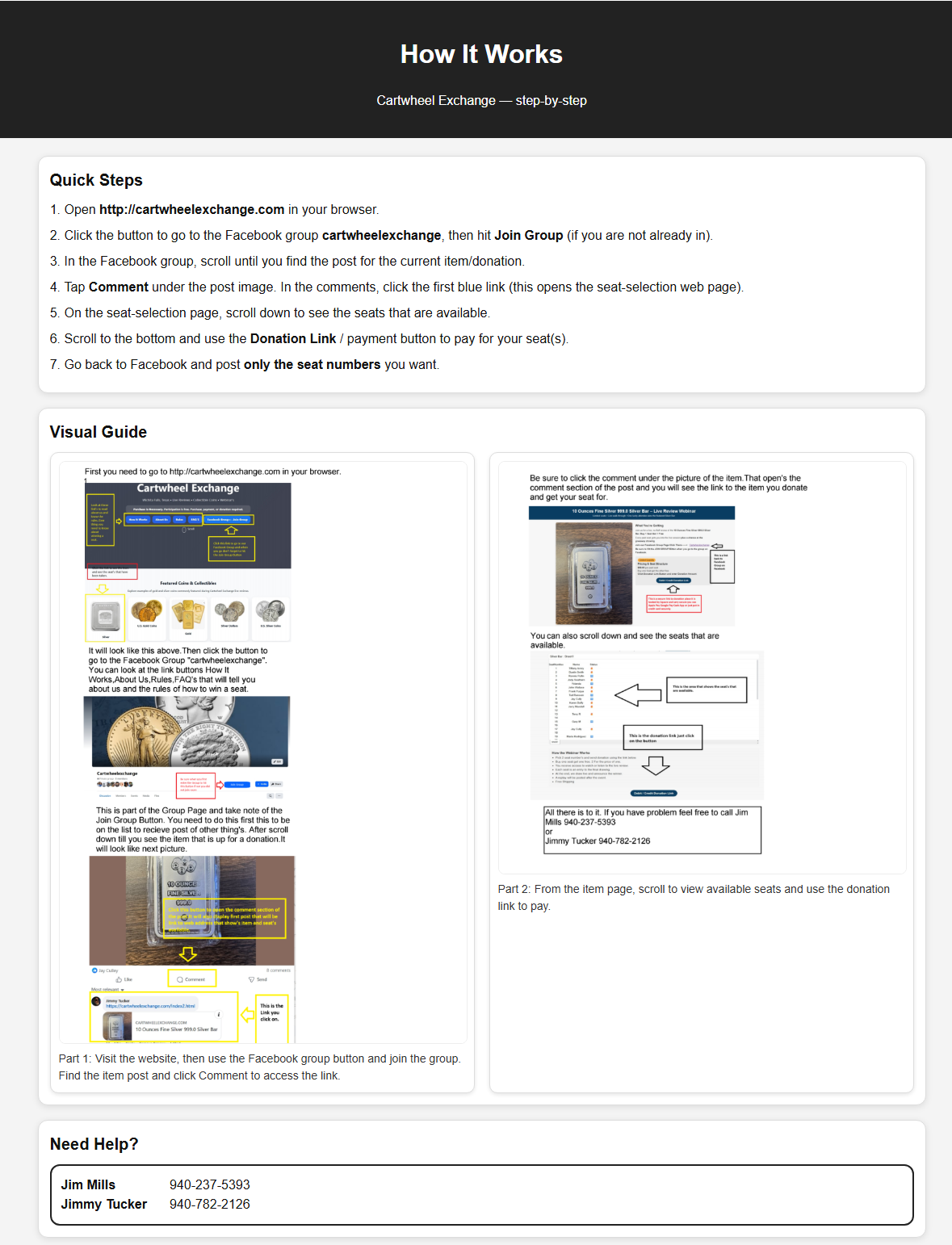
How It Works

Cartwheel Exchange — step-by-step

Quick Steps

  1. Visit http://cartwheelexchange.com
  2. Join the Facebook group
  3. Find the current item or webinar post
  4. Click Comment and open the first link
  5. Select available seats
  6. Complete payment
  7. Return to Facebook and post only your seat numbers

Visual Guide

Cartwheel Exchange visual guide

Need Help?

Jim Mills — 940-237-5393
Jimmy Tucker — 940-782-2126